Review a proposed YAML change
Inspect the actual proposed diff before changing the document.
Command or action
Preview field edits → review diff → apply or discard
What this does
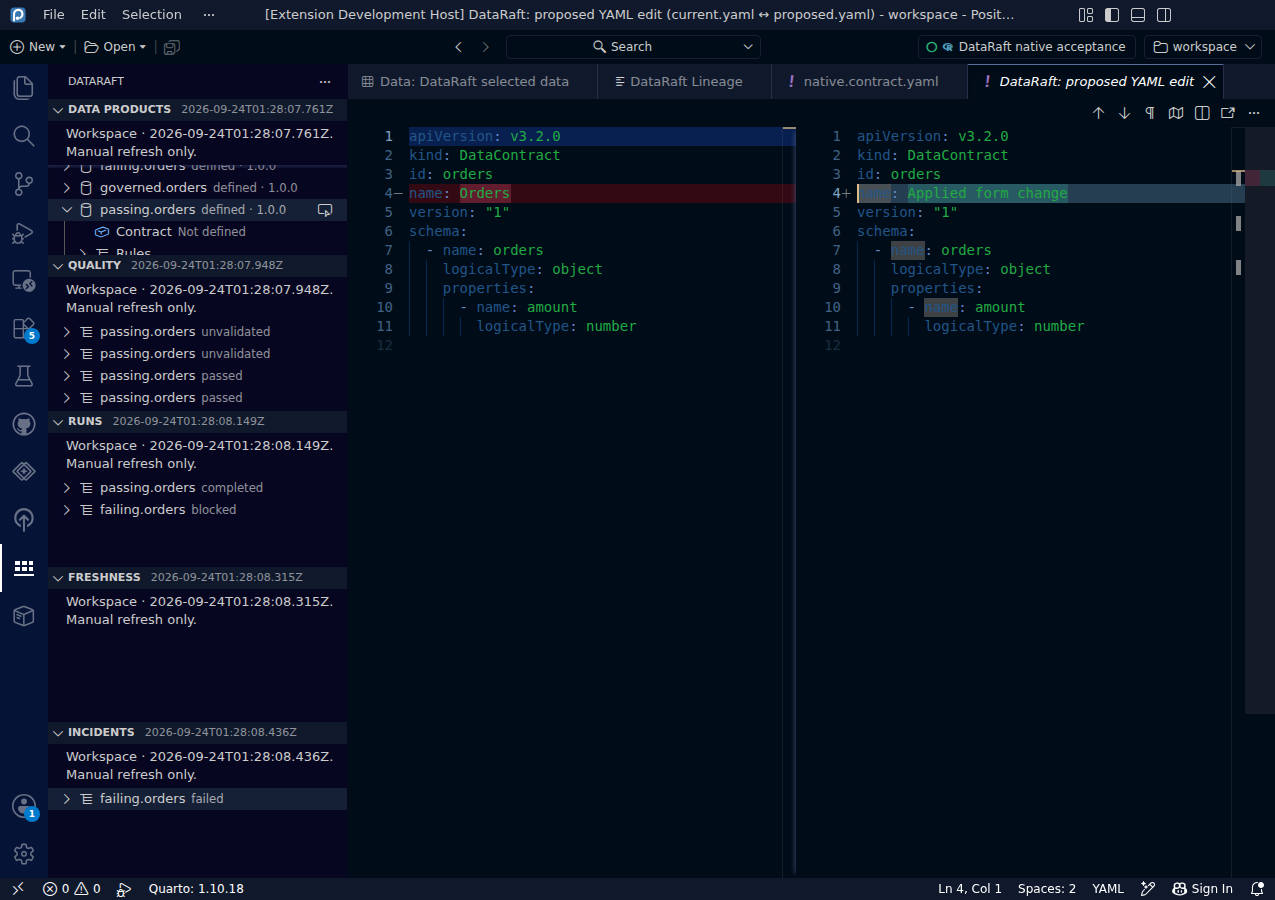
Preview creates a proposed edit and opens the native diff viewer. The document itself remains unchanged until you explicitly apply the preview.
Try it
- Change a contract field.
- Select Preview field edits.
- Inspect the proposed diff, including any formatting or metadata changes.
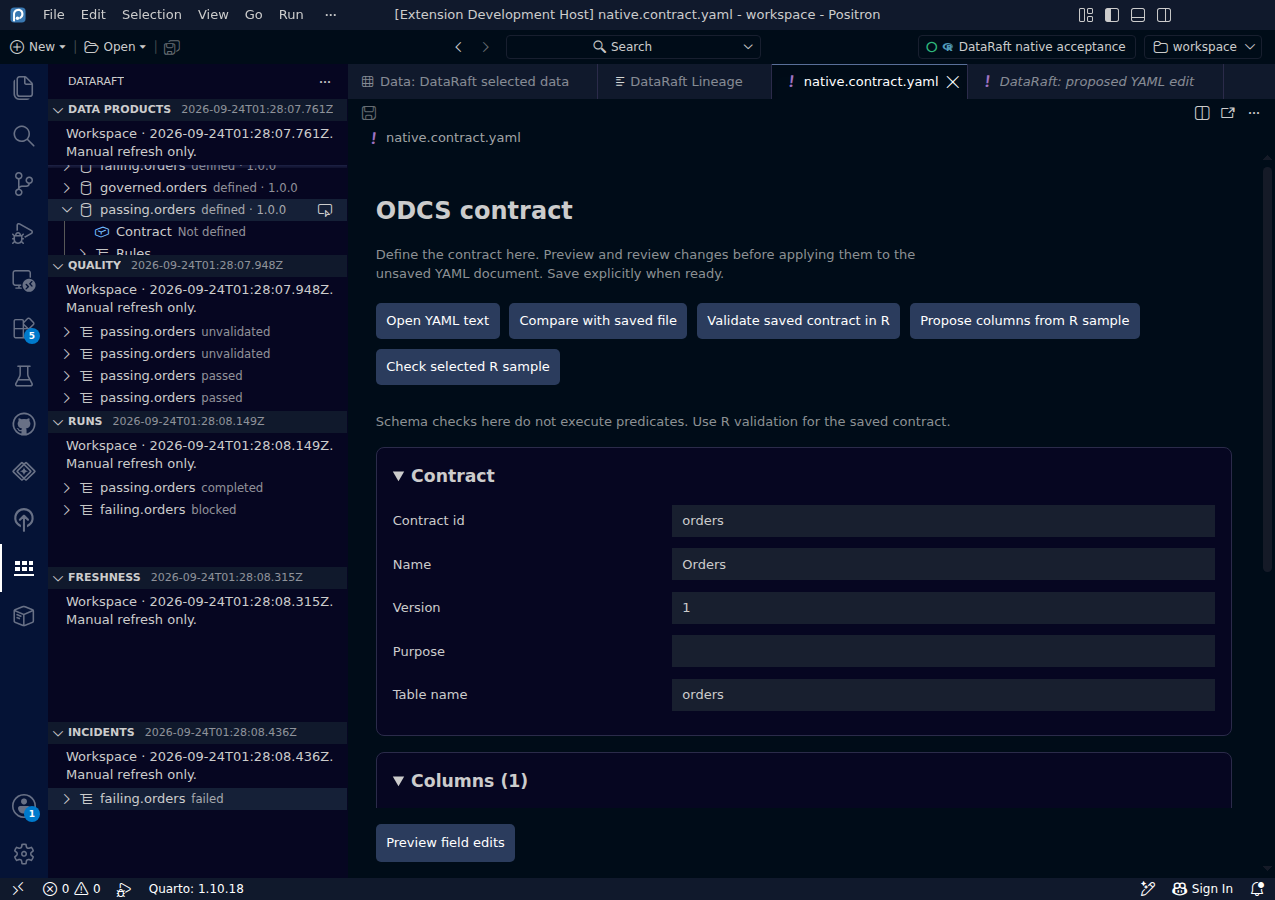
- Return to the contract editor and choose Apply preview to document or Discard preview.
Read the screenshots
The diff proposes changing the synthetic contract name to Applied form change. The separate preview screenshot shows the discard decision from another edit. The acceptance test verifies that preview alone leaves both the document and the saved file unchanged.
Keep in mind
The proposal is tied to a specific document version. A concurrent text edit invalidates it. Review the current state and create a new preview instead of applying a stale proposal.
Original capture from the native Positron extension host, using synthetic data. Extension implementation:
0d55d40. Screenshot automation: 0d55d40. Successful native capture run ↗