Run a product without publishing
Compare successful and blocked deliveries using retained trial results.
Command or action
DataRaft: Trial Product
What this does
Trial Product explicitly executes a product through the R bridge. It retains a result that you can inspect afterwards. Configured framework destinations are not published by this command.
Try it
- Select the product definition, rather than a previous result.
- Run DataRaft: Trial Product.
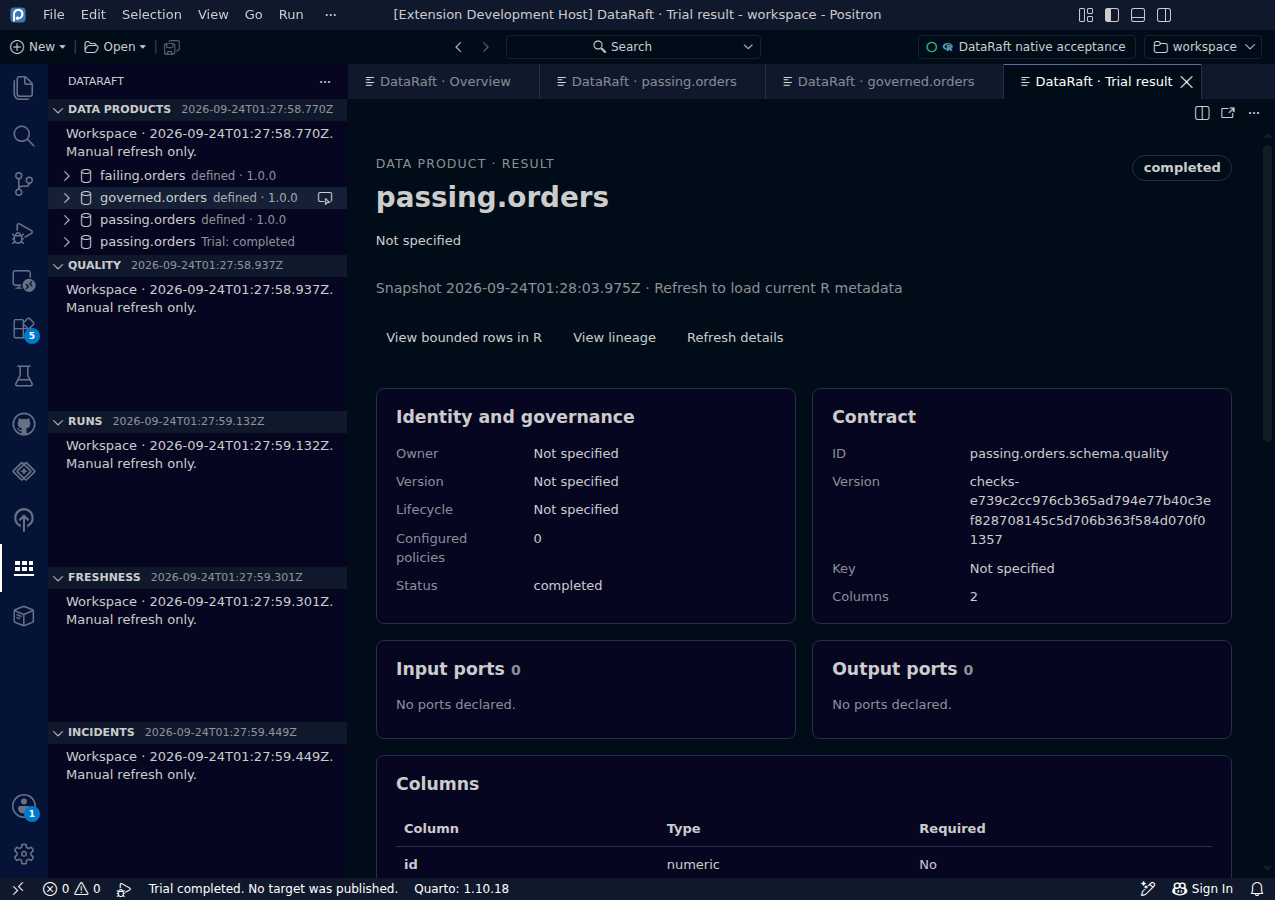
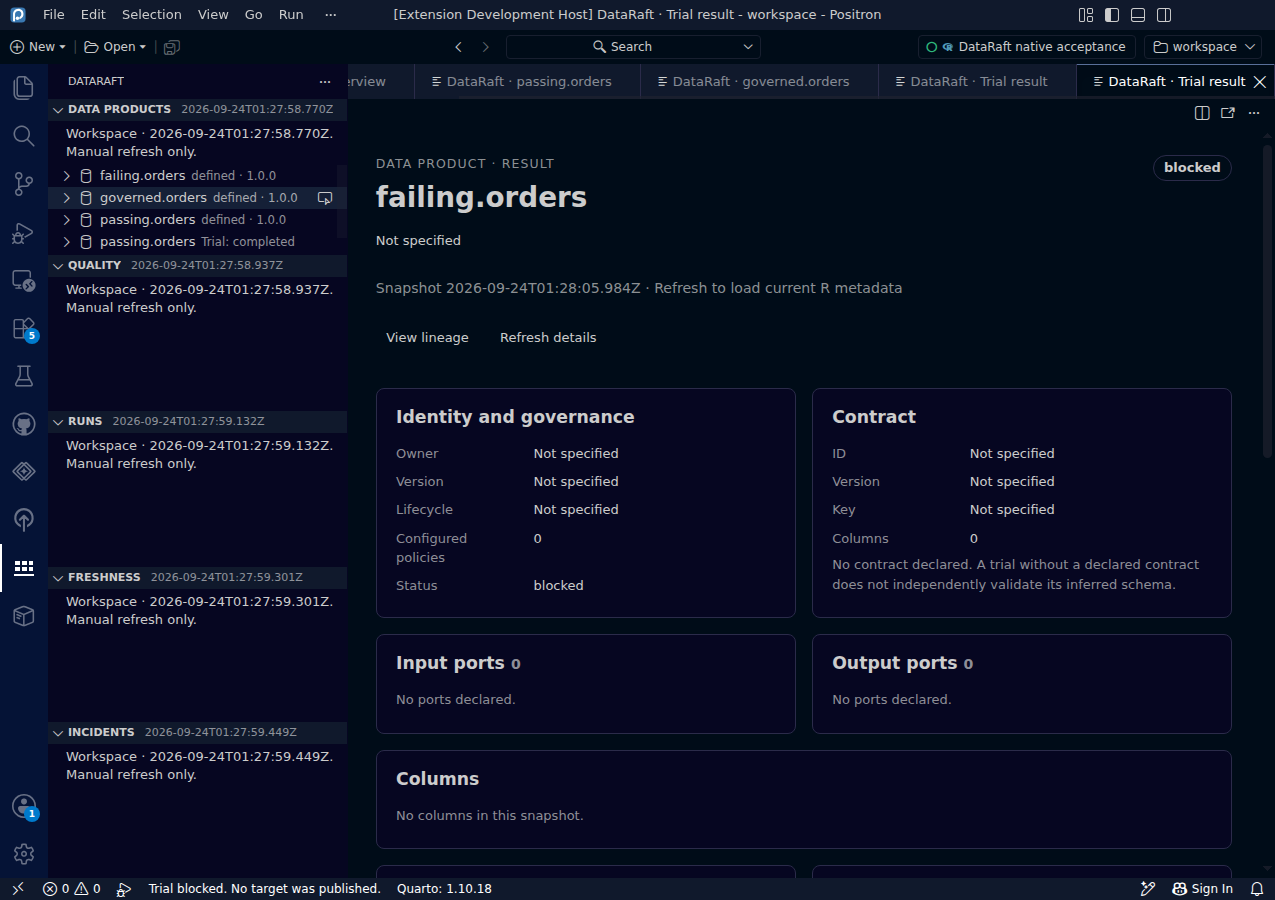
- Read the status badge and product detail in the trial dashboard.
- Refresh metadata, then inspect Quality and Runs.
Compare the two screenshots
The first delivery completes its trial. The second contains a negative amount that fails the nonnegative rule, so its result is blocked. Both outcomes are retained as evidence. A successful bridge request can therefore contain a blocked product result: read the result status, not just whether the command finished.
These fixtures deliberately have no explicit schema contract. completed describes execution; schema evidence can still be unvalidated.
Keep in mind
A trial still reads sources and executes your transformations and checks. User functions can have side effects of their own. Cancellation or a timeout stops the extension waiting; it does not guarantee that R code already dispatched has stopped. The bridge retains up to 20 trial results in the session.
0d55d40. Screenshot automation: 0d55d40. Successful native capture run ↗