Apply a change, then save explicitly
Keep the distinction between an editor change and a saved contract.
Command or action
Apply preview to document
What this does
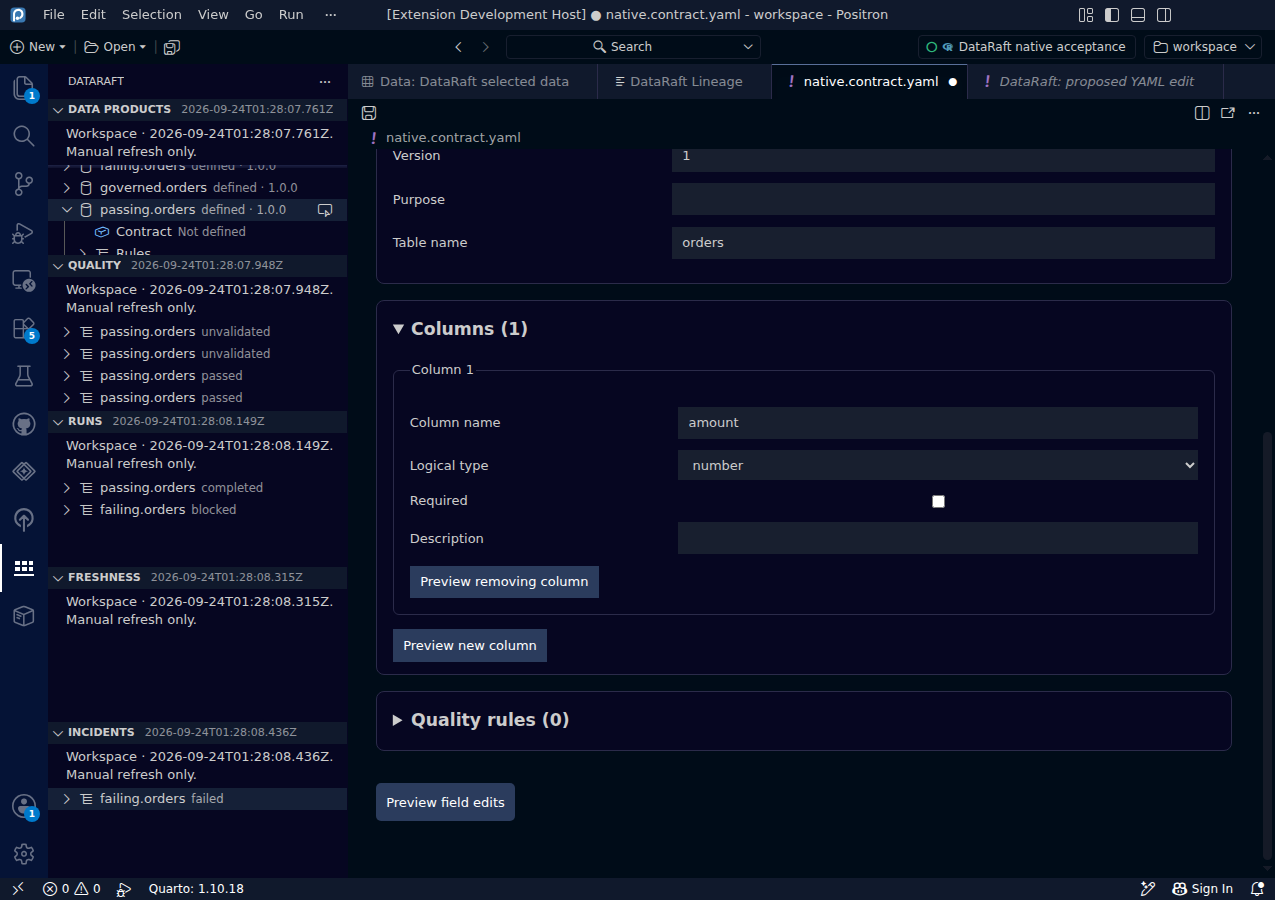
Applying an accepted preview makes a version-checked workspace edit. The document is left unsaved so you can still review, undo or save it using the normal editor workflow.
Try it
- Review a proposed change in the diff viewer.
- Choose Apply preview to document.
- Check the changed field and the unsaved marker on the tab.
- Save the YAML explicitly when you are ready.
Read the screenshot
The form now contains Applied form change. The dirty-document indicator distinguishes this state from a persisted contract. In the native test, the saved file still matches its baseline immediately after Apply.
Keep in mind
Validate Saved ODCS Contract in R reads the saved file, not an unsaved form proposal. If another program changes the file, preserve your work, review the external changes, then close and reopen the contract editor to establish a fresh saved-file baseline.
Original capture from the native Positron extension host, using synthetic data. Extension implementation:
0d55d40. Screenshot automation: 0d55d40. Successful native capture run ↗