Follow directed product lineage
Inspect dependencies and jump from a graph node to its product.
Command or action
DataRaft: Show Directed Lineage
What this does
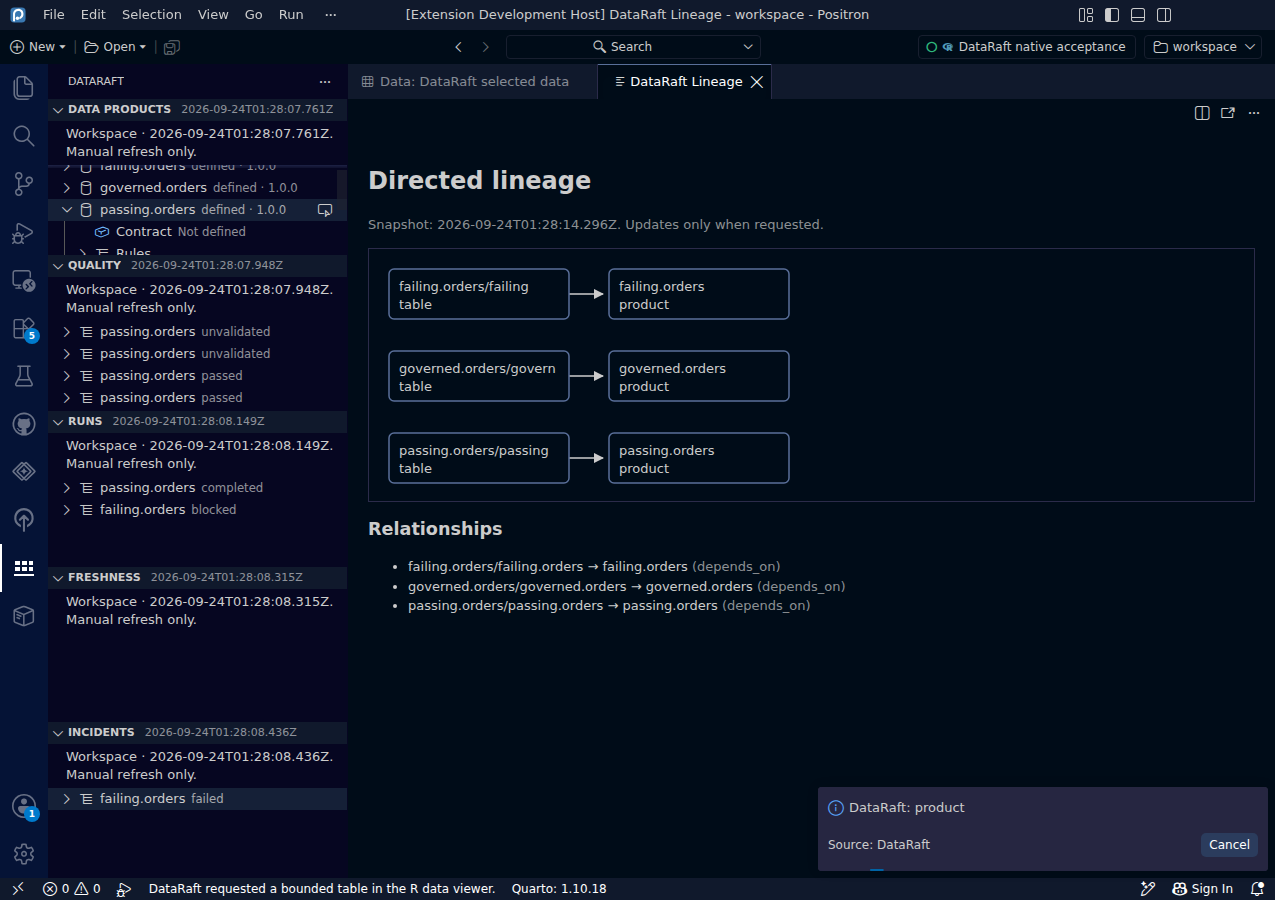
The lineage panel represents directed relationships from metadata. Nodes support keyboard focus. Selecting a product node reveals the matching product in the Data Products tree.
Try it
- Refresh the workspace or connected lake metadata.
- Run Show Directed Lineage.
- Follow the directed relationships between sources and products.
- Select a product node to locate the matching tree item.
Read the screenshot
This is the real lineage panel for the synthetic acceptance-test workspace. The graph is a snapshot, with a generation timestamp. It is not a live animation of a running pipeline. The native test also verifies that selecting passing.orders reveals its corresponding product in the tree.
Keep in mind
Refresh is explicit. The bridge limits metadata collections, and offline lineage snapshots accept at most 500 nodes and 500 edges. The graph describes the relationships present in the supplied metadata; it does not infer every dependency hidden inside arbitrary user code.
0d55d40. Screenshot automation: 0d55d40. Successful native capture run ↗