Inspect failed quality evidence
See which rule failed and how many rows were affected.
Command or action
Quality view: select a rule result
What this does
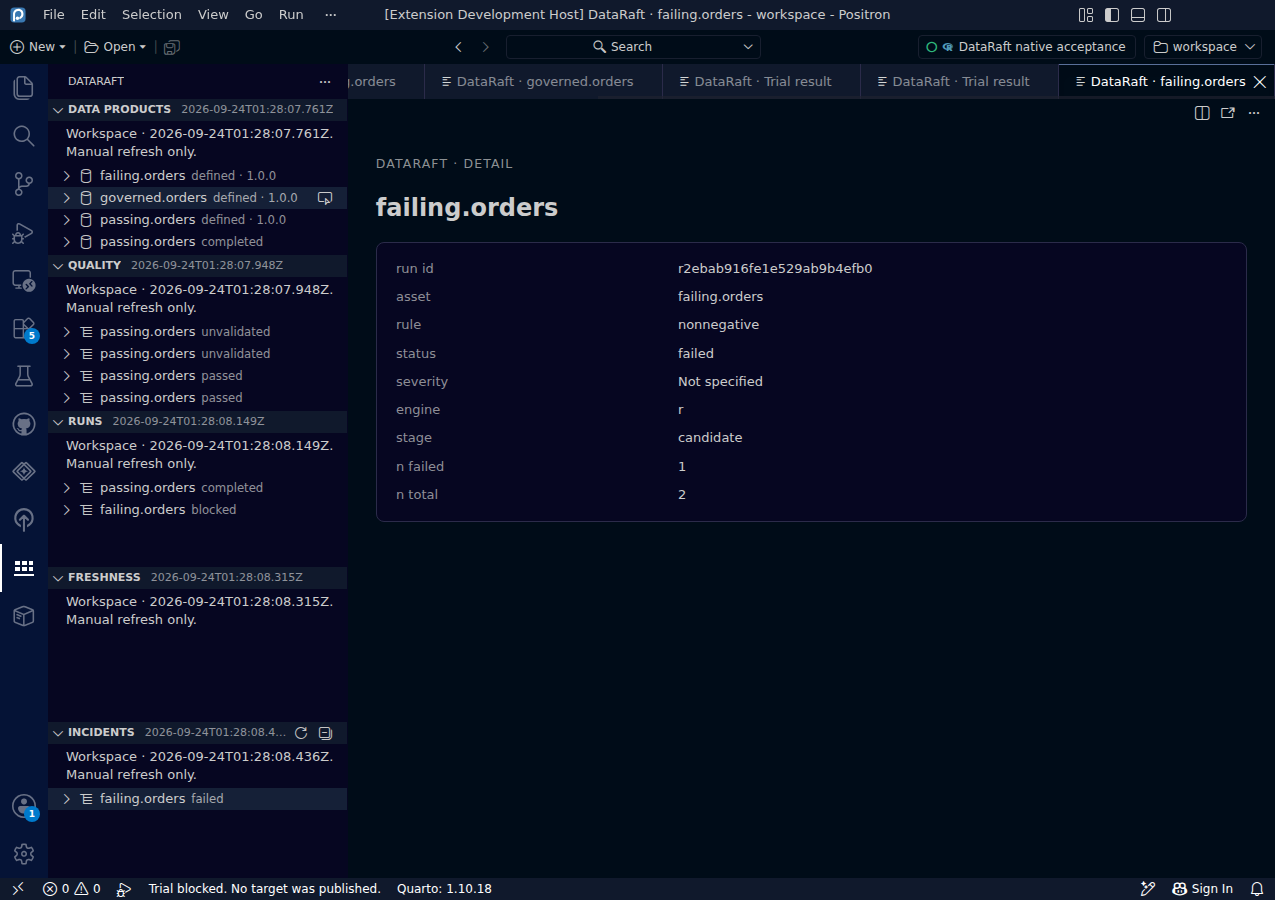
The Quality view exposes evidence retained by previous execution. Selecting a rule result opens a readable detail panel, including the affected asset, rule identifier, status and available counts.
Try it
- Run a trial and refresh metadata.
- Expand Quality in the DataRaft view.
- Select a failed rule for the product you want to investigate.
- Inspect the evidence before changing the delivery or the rule.
Read the screenshot
The selected result belongs to failing.orders. It reports rule: nonnegative, status: failed, n_failed: 1 and n_total: 2. The Runs view distinguishes the completed and blocked trials. The Incidents view records the observed failed check.
Keep in mind
Counts are metadata, not a preview of rejected rows. Use R-side diagnostics when you need retained row-level evidence. An incident here describes an observed failed or unchecked check; it does not represent a complete incident-management or resolution workflow.
0d55d40. Screenshot automation: 0d55d40. Successful native capture run ↗