Browse the workspace overview
Find products and see quality and run counts before opening details.
Command or action
DataRaft: Open Data Product Overview
What this does
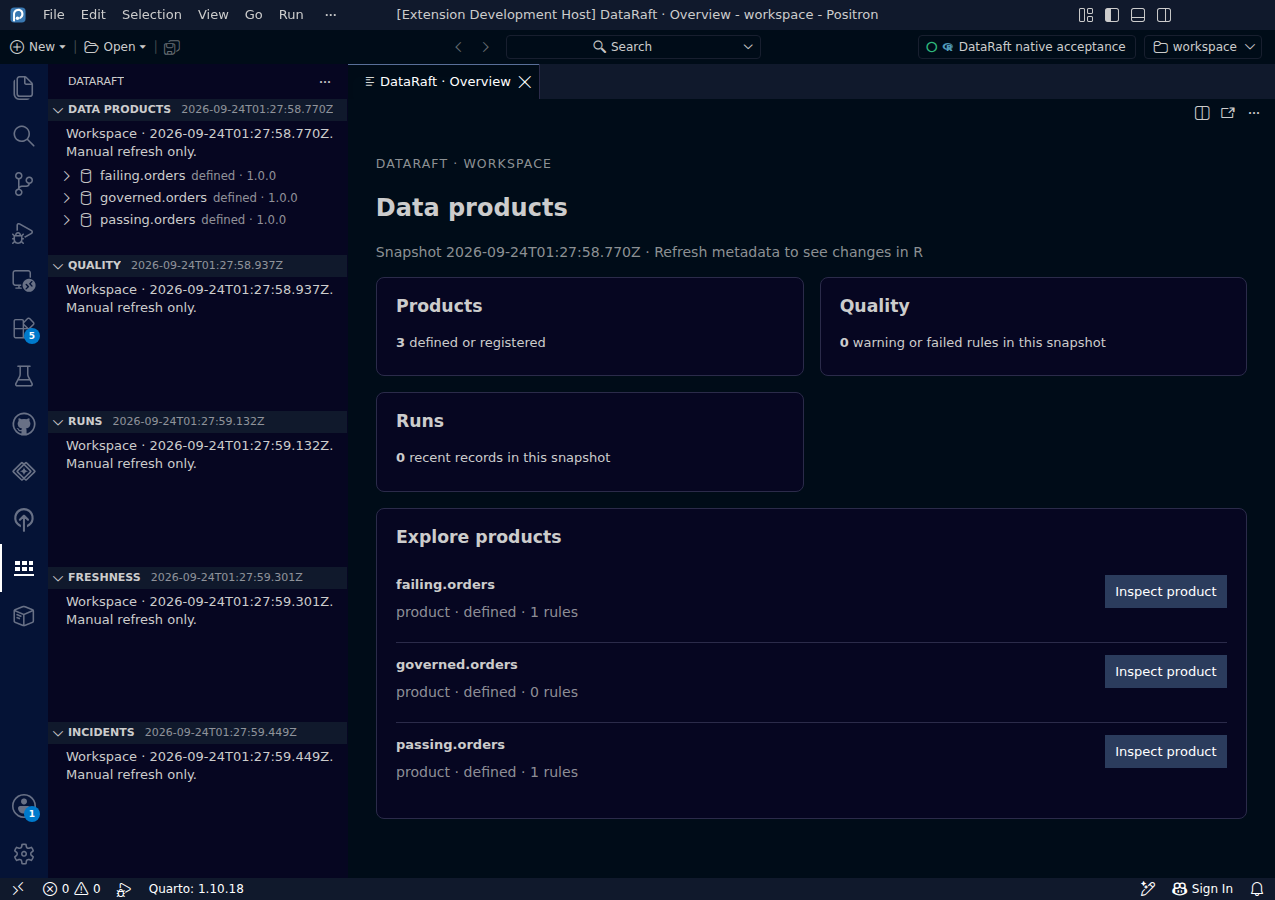
The overview gathers product definitions, warning or failed quality checks and recent run counts from the current metadata snapshot. Each product has an Inspect product action.
Try it
- Select an R session and choose Refresh Metadata.
- Run Open Data Product Overview.
- Select Inspect product on the product you want to understand.
Read the screenshot
This earlier synthetic workspace contains three small smoke-test products. The portfolio case above adds nine related definitions in the same native workflow. Counts describe the current metadata snapshot and may change after a trial and another refresh.
Keep in mind
The overview does not run products. Refresh is explicit, and the summary shows only the bounded records returned by the bridge.
Original capture from the native Positron extension host, using synthetic data. Extension implementation:
0d55d40. Screenshot automation: 0d55d40. Successful native capture run ↗