Review contracts, policies and delivery timing
Inspect policy definitions, output ports and SLA in one dashboard.
Command or action
Select a governed product in Data Products
What this does
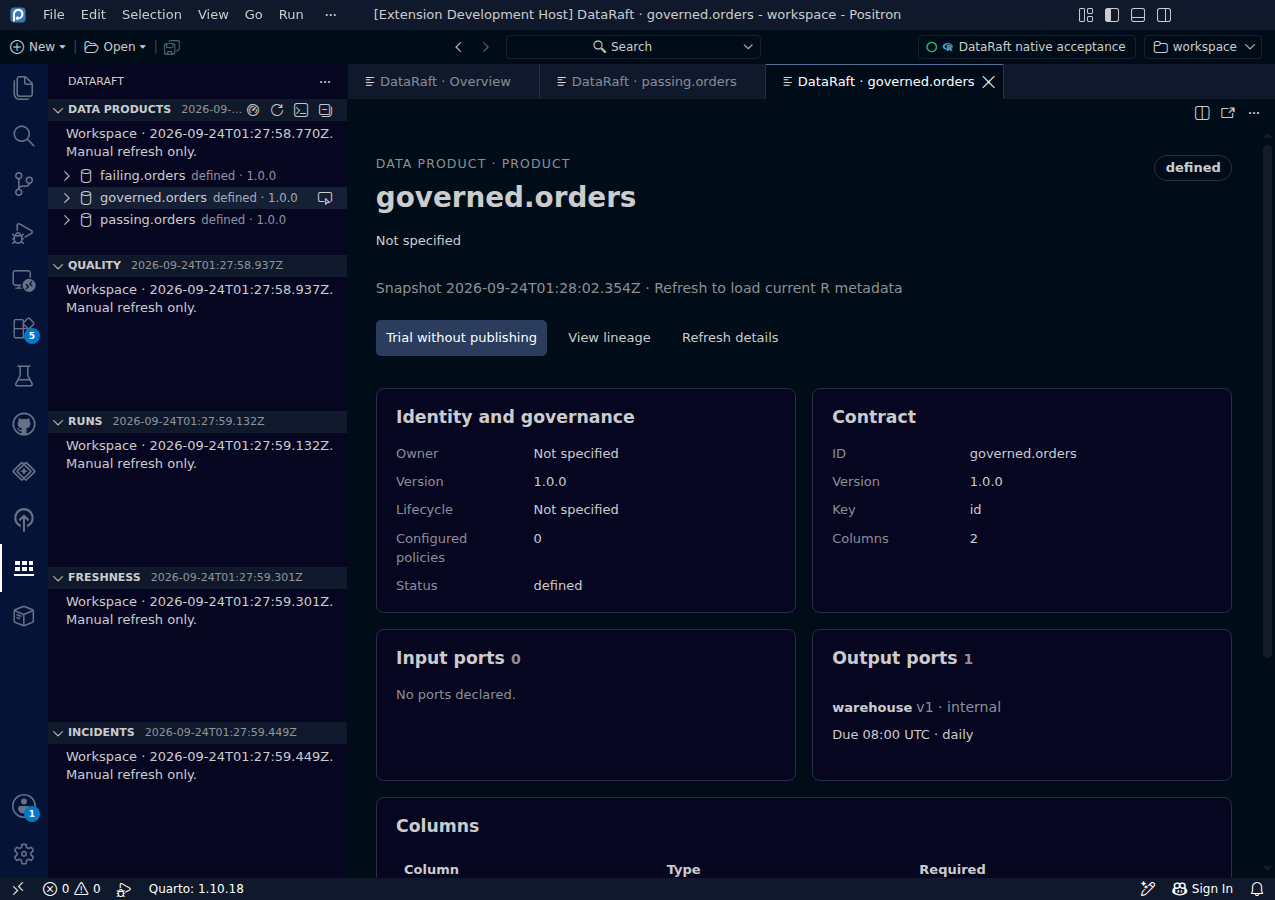
The product dashboard renders bounded lifecycle, contract, policy, port and SLA metadata as readable sections. You can see the delivery agreement without opening raw JSON.
Try it
- Refresh a workspace that contains a product with a contract or ports.
- Select the product in Data Products.
- Review Contract, Columns, Policy checks, Input ports and Output ports.
Read the screenshot
governed.orders is a synthetic definition with a two-column contract and one output port named warehouse. Its SLA declares availability by 08:00 UTC. The preview shows the guarantee definition, not proof that the target was published on time.
Keep in mind
The bridge omits destination paths, credentials and row values. A listed policy is a definition, not a pass decision. A declared SLA or contract is a promise to check in your workflow, not evidence of a successful release.
0d55d40. Screenshot automation: 0d55d40. Successful native capture run ↗