Explore a data product
Read product identity, rules, columns and available actions in a guided view.
Command or action
DataRaft: Inspect Product
What this does
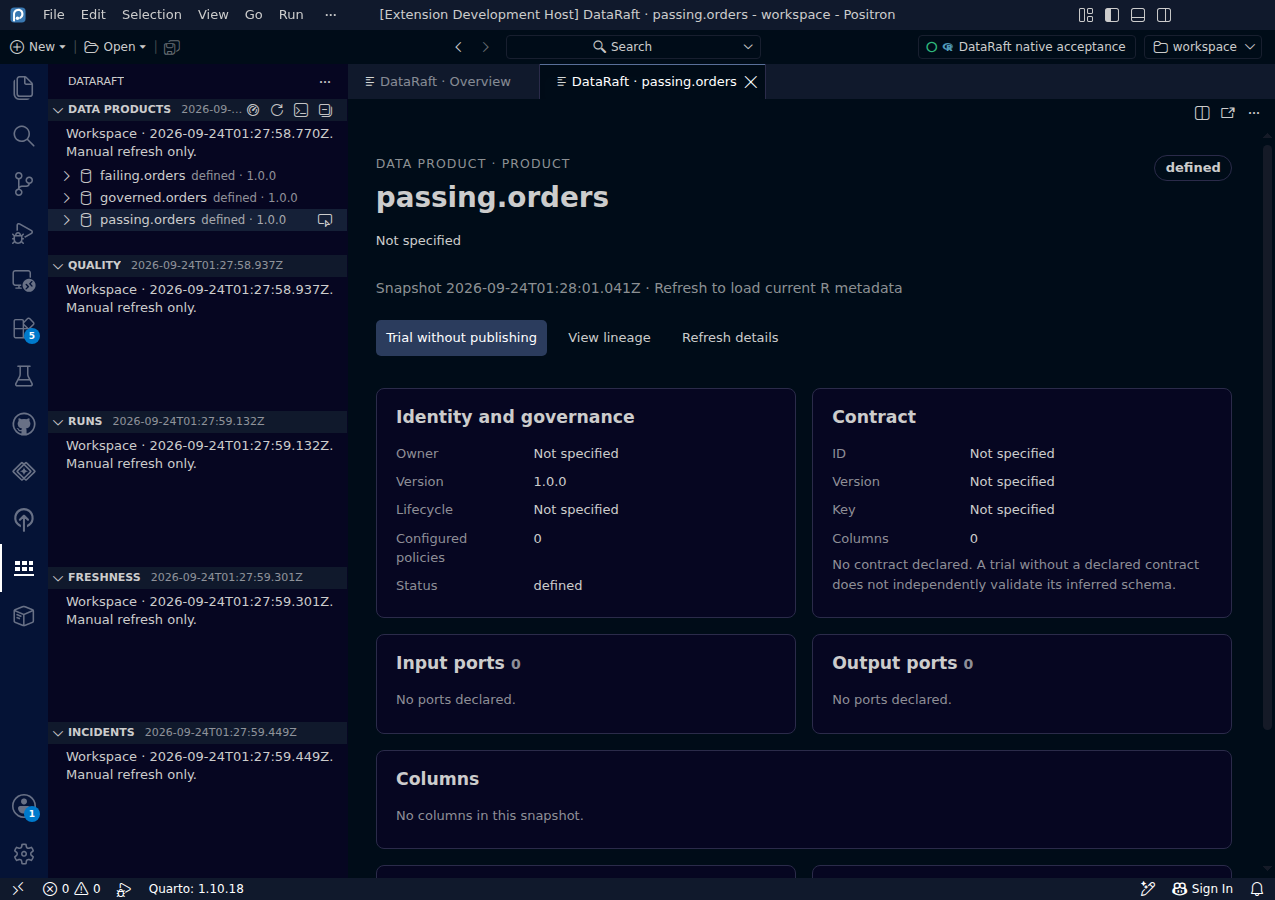
The Data Products tree and Open Data Product Overview make workspace definitions discoverable. Inspect opens a structured dashboard with identity, governance, contract, input and output ports, columns, quality rules and sources. Available actions include trial, bounded row view, lineage and refresh.
Try it
- Select an R session and choose Refresh Metadata.
- Open Open Data Product Overview or select a product in Data Products.
- Read the product dashboard, then choose an explicit action when needed.
Read the screenshot
passing.orders is a synthetic product with one quality rule. It has no declared contract or ports. The dashboard distinguishes a missing contract from a successful schema check.
Keep in mind
Inspection transfers bounded metadata, never table cells. Refresh is manual. A definition's existence does not imply successful checks or publication.
Original capture from the native Positron extension host, using synthetic data. Extension implementation:
0d55d40. Screenshot automation: 0d55d40. Successful native capture run ↗